How VentMode vents
your Tesla for you
VentMode cracks your Tesla's windows open on hot, dry days and closes them before evening, automatically, without an app to open or a reminder to set. Here's exactly what it does and why it's safe.
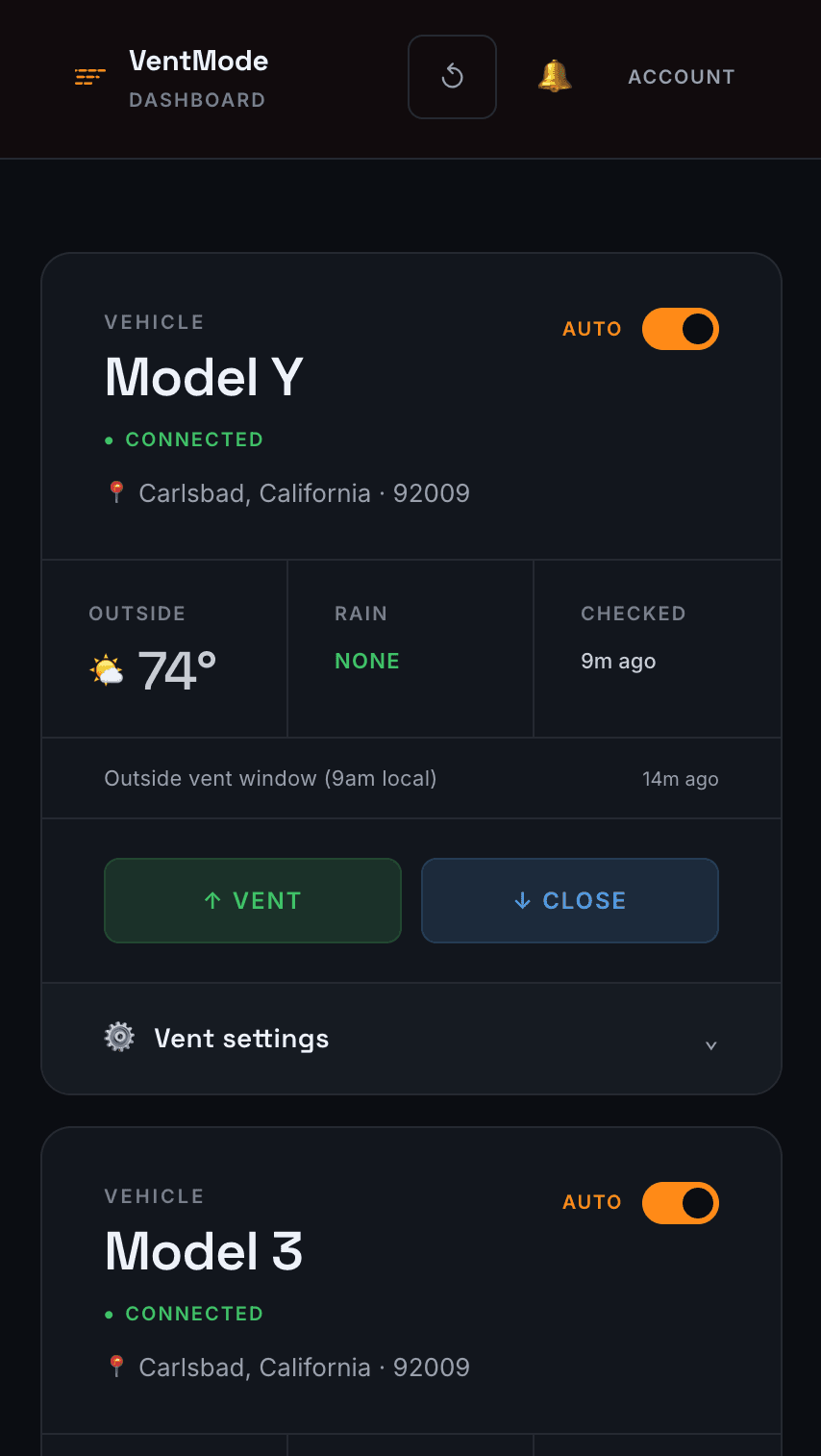
The problem: a parked Tesla turns into an oven
On a 90°F day, a closed car cabin can climb past 130–150°F within an hour. Every time you come back to your Tesla in summer, you climb into that heat, then burn energy running the A/C hard to cool it back down.
Tesla lets you crack the windows to vent that heat, but only if you remember to do it, open the app, and wait for the car to wake up. In practice, almost nobody does it consistently.
What VentMode does
VentMode watches the weather where your car is parked and manages the windows for you. When it's hot and dry during the day, it cracks the windows open. Before evening, it closes them. You never open an app and you never think about it.
It runs on a schedule in the background, roughly once an hour, so the decision is always based on current conditions, not a setting you configured once and forgot.
Tesla's own Cabin Overheat Protection is not this. It's a manual toggle (Off / No A/C / On) that runs the air conditioning to hold the cabin below a set temperature, at a real battery cost, and it never touches the windows. Tesla has no built-in setting that automatically cracks a window based on the weather, most likely because an automated system that opens a car up while you're away carries liability Tesla doesn't want. VentMode fills exactly that gap: it vents instead of running the A/C, so it costs no battery and still keeps the cabin from cooking.
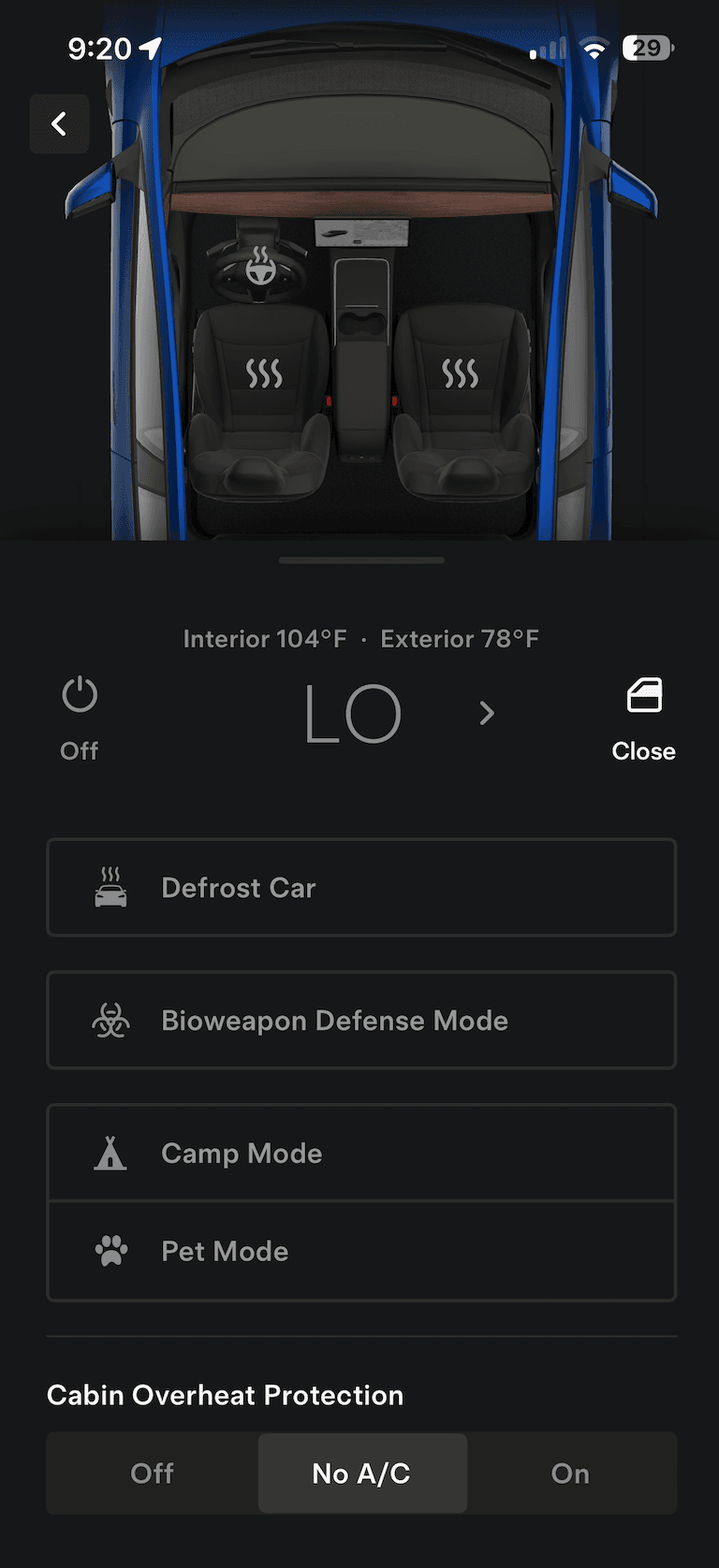
Tesla's Cabin Overheat Protection: three manual settings, no automatic window venting.
The heat trigger
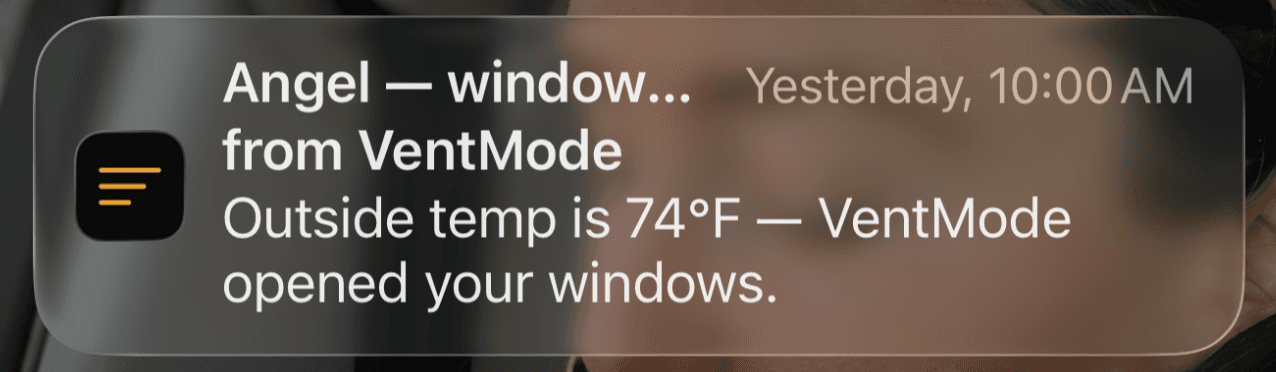
When the outside temperature at your car's location reaches your threshold (70°F by default) during vent hours, VentMode opens the windows a few inches. That's enough to let built-up cabin heat escape without leaving the car wide open.
The rain check
Before venting, and while windows are already open, VentMode looks at both the current conditions and the 3-hour forecast from Open-Meteo. If rain or a storm is in the forecast, it holds off, or closes windows that are already cracked. Your seats stay dry.
It also watches the forecast's rain chance. Out of the box it holds off whenever the chance for the next few hours is 20% or higher. In humid places that number runs high on afternoons that stay dry, so each car has a rain slider in its settings: raise it and VentMode vents through the typical muggy afternoon, lower it and it plays safer. Forecast rain keeps the windows shut no matter where the slider sits.
Time limits and the evening hard close
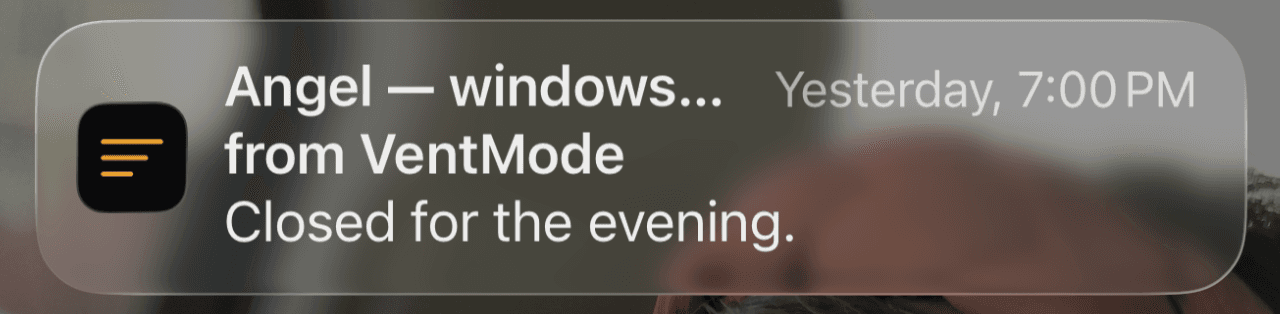
VentMode only vents during your vent hours, 10am to 7pm in the car's own local time by default, when the sun is doing the damage. At your close hour (7pm by default) it performs a hard close, no matter what. You can change the hours and the temperature threshold per vehicle from the dashboard. Windows never stay open overnight: there's no edge case where you wake up to a car that sat open in the dark.
It only touches a sleeping, parked car
Before doing anything, VentMode checks your vehicle's state without waking it. If the car is driving, actively charging, in a car wash, or otherwise in use, VentMode skips and waits for the next cycle. When a vent or close is due and the car is parked, it wakes the car briefly to send that one command. It never interrupts you while you're using the car, and battery impact is minimal.
How it stays secure
You connect your car once through Tesla's official OAuth login, so VentMode never sees your Tesla password, only a scoped access token. That token is encrypted at rest with AES-256-GCM, so it can't be read directly from our data store. Commands are cryptographically signed with HMAC-SHA256 through Tesla's Vehicle Command Protocol, using an ECDH session and a per-command counter that makes replay attacks structurally impossible. Your signing key never leaves the server.
Push notifications keep you in the loop
You don't have to check anything, but you'll always know what happened. VentMode can send a push notification the moment it opens or closes your windows, so you get a heads-up when your car vents on a hot afternoon and a confirmation when it closes up for the night.
Enable notifications from the dashboard, and add VentMode to your phone's home screen to use it like a native app. Everything (live temperatures, window state, and every hourly decision) is also visible on the dashboard, where you can vent or close manually with one tap.
Setup takes about a minute
Sign up, connect your Tesla through the official Tesla authorization screen, flip automation on for the vehicle, and walk away. From then on VentMode handles the rest. You can pause automation for any vehicle from the dashboard at any time.
Common questions
How do I automatically vent my Tesla's windows when it's hot?
VentMode connects to your Tesla through Tesla's official OAuth login and checks conditions every hour. When the outside temperature reaches 70°F during your vent hours and there's no rain in the forecast, it cracks your windows open automatically. It closes them again at 7pm every night by default. There's no app to open and nothing to remember.
Is it safe to leave my Tesla's windows cracked open?
VentMode only vents the windows a few inches while the car is parked and asleep, during your vent hours (10am–7pm in the car's local time by default), and only when no rain is forecast and the rain chance is under the limit you set. It performs a hard close at your close hour every night without exception, so windows never stay open overnight.
Does VentMode drain my Tesla's battery?
No. VentMode checks your vehicle's state without waking it, and only sends a command when venting or closing is actually needed, typically twice a day. If the car is asleep it wakes it briefly to send that one command, which uses a tiny amount of energy. It skips cars that are driving, actively charging, or in use, so the impact on your battery is minimal.
Does VentMode need my Tesla password?
No. You authorize VentMode through Tesla's official OAuth flow, so VentMode never sees your password, only a scoped access token. Commands are cryptographically signed with HMAC-SHA256 through Tesla's Vehicle Command Protocol, and your key never leaves the server.
Which Teslas does VentMode work with?
VentMode works with Tesla vehicles that support window venting through the Tesla Vehicle Command Protocol, including Model 3, Model Y, Model S, and Model X. You connect your car once and automation runs on its own.