Cabin Overheat Protection vs. venting: the real trade-off Tesla doesn't spell out
Tesla's Cabin Overheat Protection runs the A/C while you're parked. Venting cracks the windows instead. Here's what each actually costs you in range and security, and when each one is the right call.
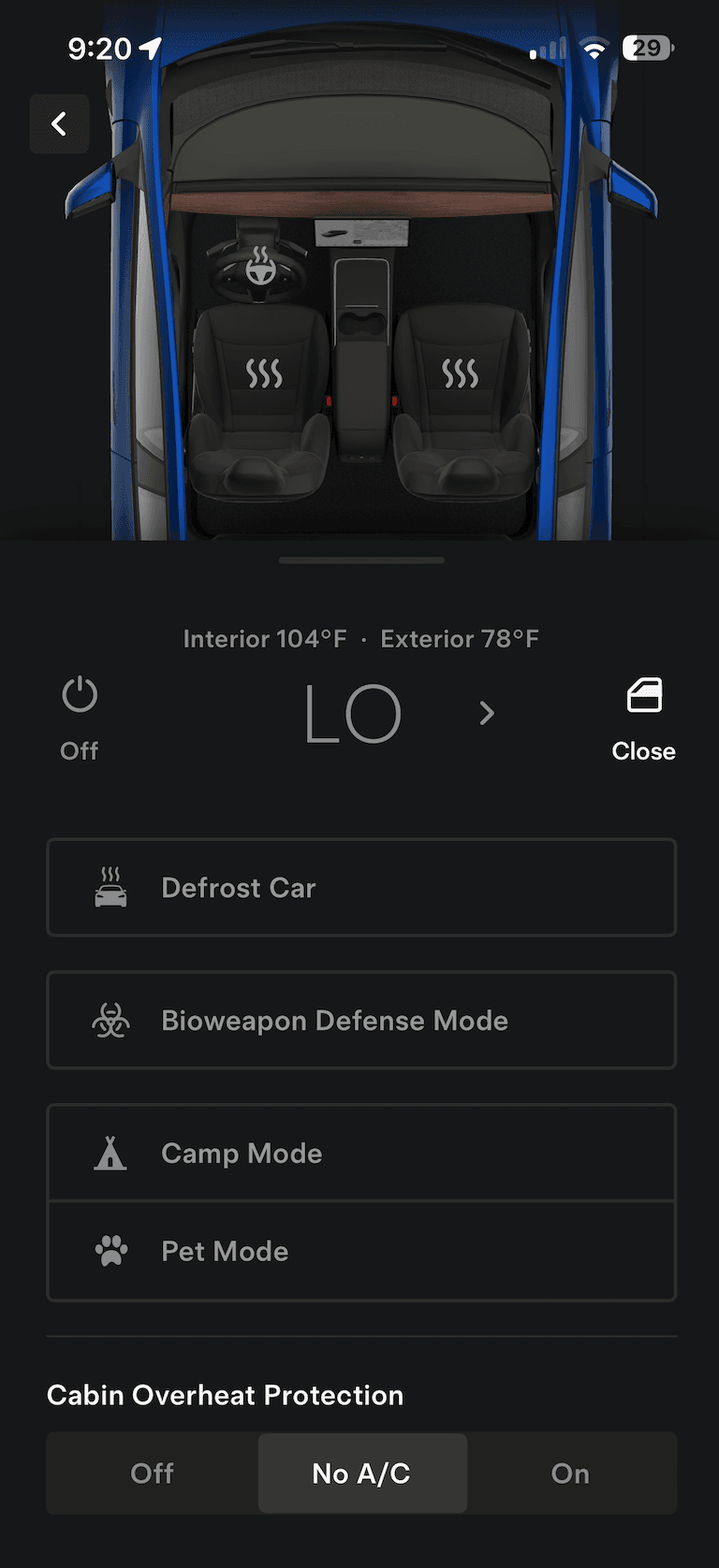
Cabin Overheat Protection in the Tesla app: Off, No A/C, or On. All three are set by hand, and none of them cracks a window.
Two different strategies for the same problem
Both features exist to stop your car from being an oven when you get back in. They solve it in opposite ways. Cabin Overheat Protection (and its always-on cousin, Keep Climate On) keeps the windows sealed and runs the HVAC compressor to hold cabin temperature below a threshold you set — around 105°F by default. Manual or automatic venting does the opposite: it leaves the HVAC off and cracks the windows a few inches so trapped heat can escape passively.
What Cabin Overheat Protection actually costs
Running a compressor to cool an unoccupied cabin against outdoor heat for hours is not free. The exact draw varies with ambient temperature, insulation, and how hard the compressor has to work, but it is meaningfully more than the essentially-zero cost of just letting air move through a cracked window. If you park for a full workday on a 100°F day with Cabin Overheat Protection running continuously, that's real range gone before you've driven a mile — on a day when you're also more likely to want the range for A/C while driving.
Tesla's own documentation is intentionally vague about the exact kWh cost because it depends on too many variables to give one number. The honest framing: it's a real trade of stored energy for comfort-on-return, not a free feature.
What venting costs you instead
Venting's cost isn't energy, it's exposure. Cracked windows mean the cabin isn't fully sealed while you're away — rain can get in if you don't close them in time, and cracked windows are (marginally) less of a physical barrier than closed ones, though they're nowhere near enough to fit a hand or arm through and don't disable the alarm or locks. For most people parked in a driveway, office lot, or regular street spot, that risk is low. For a car parked somewhere you're specifically worried about break-ins, sealed-and-cooled might reasonably be worth the range.
The failure mode each one has
Cabin Overheat Protection's failure mode is quiet: it just uses more battery than people expect, especially on multi-hour parking on a hot day, and shows up as range you didn't budget for. Venting's failure mode is louder and more avoidable: windows left open when rain arrives, or left open overnight. Both failure modes are solvable — Cabin Overheat Protection by knowing the tradeoff exists, venting by making sure whatever cracks the windows also watches the forecast and closes them on a schedule.
Can you use both?
Yes, and plenty of people do, situationally: vent by default because it's free, and reach for Cabin Overheat Protection specifically on days where you want the cabin genuinely cold on return and don't mind spending the range — a hot day where you're heading straight into a long drive, for instance. They're not mutually exclusive features, they're two tools for slightly different jobs.
VentMode automates the venting side of that choice: it checks the weather at your car's location hourly, vents on a heat trigger, and closes on rain or by 8pm every night — so 'vent by default' doesn't require remembering to open the app on every hot day. It doesn't touch Cabin Overheat Protection at all, so the two coexist fine if you want to keep both available.